
A firewall in front of every site you run.
EasyWAF is a reverse proxy that routes each request to its site, scores it against rules from OWASP CRS and ET Open, and then passes it, challenges it or blocks it. Sites, certificates, policies and traffic history are managed from a built-in console and kept in one SQLite file.
Route, inspect, decide. Every request, every site.
A site with no policy is simply a reverse proxy. Attach one and each request is checked against IP lists, country rules and the rule sets before it reaches your application.
Routes by host, terminates TLS
Each request goes to its site's backend by its Host header, or round several of them by weight. Ports are bound as sites are saved, with no restart, and each site presents its own certificate by SNI, issued and renewed by Let's Encrypt if you like.
Anomaly scoring, in three modes
Each matching rule adds to a score, and the request is blocked when it reaches the policy's threshold. Run a policy Off, in DetectionOnly to record what it would have done, or On.
A middle ground between allow and block
A request that looks automated rather than hostile can be asked to solve a CAPTCHA. It is served by EasyWAF itself, so no visitor is sent to a third-party service.
Countries and IP lists
Allow or block addresses and ranges before any rule runs, subscribe a policy to published lists of Tor exits and compromised hosts, and set country rules from a geolocation database compiled into the binary.
Know why a request was blocked, and fix a false positive in one click.
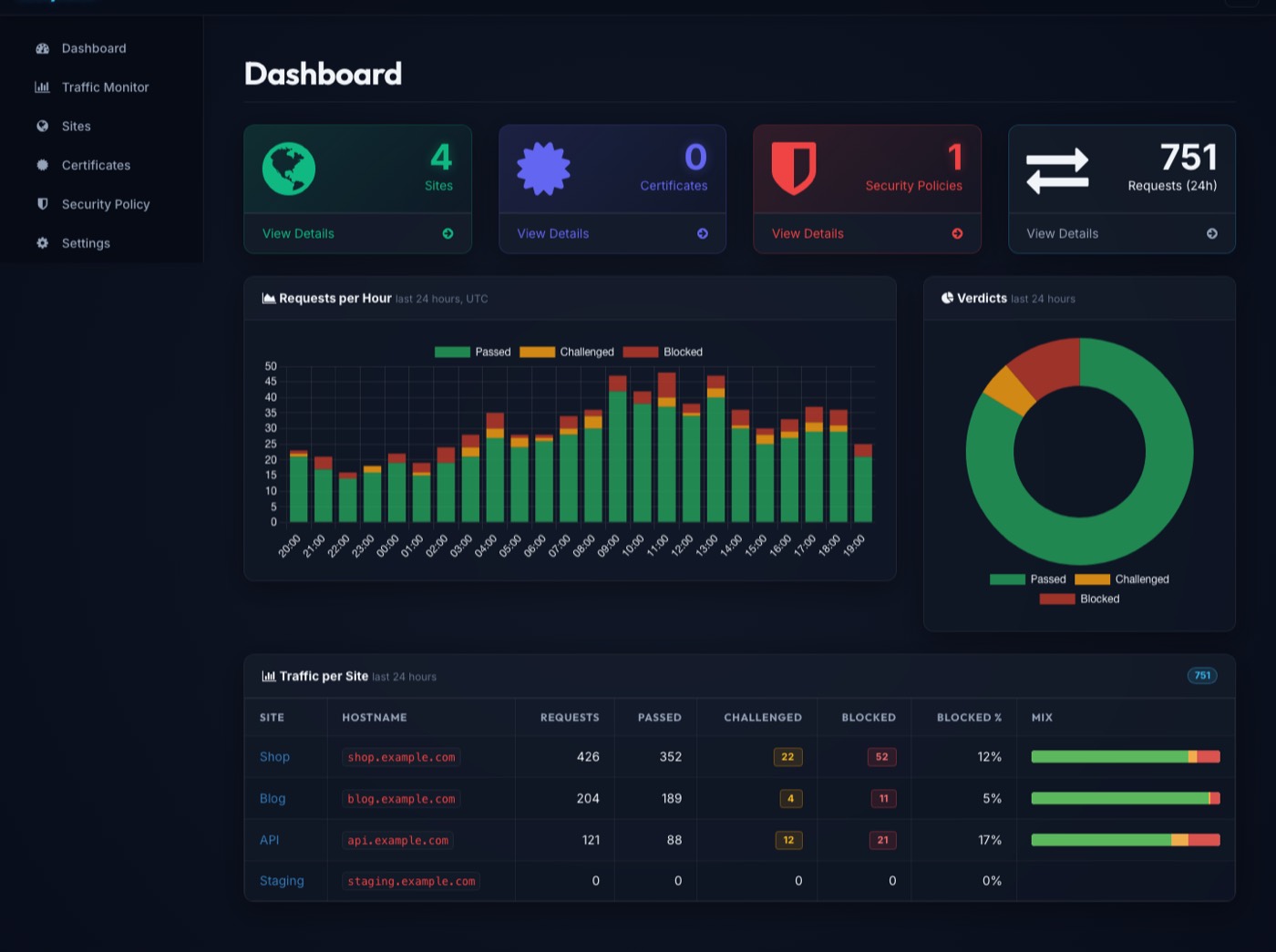
Every proxied request is recorded with its verdict, score, the rules that matched, latency and status. The dashboard shows the mix per site, and the Traffic Monitor takes you down to the single request.
Traffic Monitor
Every request with the rules it matched and the score they added up to. Filter by site, verdict or client, and click a chart to filter by it.
DetectionOnly
Record what a policy would have blocked or challenged, and block nothing. Try a policy on live traffic before enforcing it.
Smart Protect
An address a policy keeps refusing is refused outright for a while. Preview the numbers against your own recorded traffic before switching it on.
One-click exclusions
Turn a false positive into an exclusion from the traffic row that showed it, on the site's policy, narrowed to a path or a single client.
Signed rule updates
Corrected rule sets are published to a signed channel. EasyWAF tells you which policies are behind; applying one is always your decision.
Accounts and an audit log
Administrators change things and viewers see them. Every change made through the console is recorded with who made it, when and from where.
Flow logs to EasyLog
Each request goes out over syslog as one line, to EasyLog or any collector, for history across many appliances.
Backup and export
Snapshots on demand and on a schedule, a restore that can be undone, and a readable export of the configuration that imports with a preview.
Hardened as installed
The service runs as its own account, not root. Slow connections are timed out, and the console loads nothing from any other host.
One binary between the internet and your applications
One process serves the management console and one proxy listener per site port. Nothing to wire together: no separate database server, and no runtime dependency beyond glibc.
Running in minutes. Upgraded like everything else.
EasyWAF installs from the signed EasySYS package repository, starts on boot under systemd, and upgrades through the package manager you already use. Migrations run at startup, so an upgrade has no separate step. The installation guide has the details.
Start in DetectionOnly.
Put EasyWAF in front of one site, let a policy record what it would have blocked, and enforce it once the traffic agrees. Read what EasyWAF does not do first. GPL-3.0-or-later licensed and developed in the open.